Gabby

App Store Preview & Media Kit

Everything you need to submit GabbyBattles to the Apple App Store and Google Play — listing copy, keywords, screenshots guide, and launch timeline.

🍎 Apple App Store ▶ Google Play 📱 PWA — Live Now 🎓 Grades 3–8 🛡️ COPPA Compliant

🚀 The app is live right now as a PWA!   Open GabbyBattles App →

📝 App Store Listing Copy

🍎 Apple App Store

App Name

GabbyBattles: Learn & Battle

30/30 characters

Subtitle (30 chars)

Where Every Kid Wins! 🏆

24/30 characters

Category

Primary: Education → Kids
Secondary: Games → Educational

Age Rating

4+ — No objectionable content, no user-generated content, no third-party advertising, COPPA compliant

Keywords (100 chars)

kids learning,math battle,school quiz,grades 3-8,homework help,AI tutor,study app,education game

97/100 characters

▶ Google Play Store

App Title (50 chars)

GabbyBattles: Learn & Battle for Kids

40/50 characters

Short Description (80 chars)

Learn, battle & win! TikTok-style education for Grades 3–8. Free to start!

78/80 characters

Category

Primary: Education
Tags: Kids, Learning, Quiz, Games

Content Rating

Everyone (E) — Suitable for all ages. No violence, no adult content, no in-app purchases targeting children.

📄 Full App Description

App Store / Google Play Description (4000 chars max)
GabbyBattles is the TikTok-style educational app where learning feels like playing. Swipe through 60-second VibeVid lessons, challenge the AI in live subject battles, and get coached by Gabby AI — your personal tutor who actually speaks kid. ⚡ VIBEVID LESSONS Short, punchy 60-second lessons across 5 subjects — Math, Science, History, ELA, and Geography — designed for Grades 3 through 8. Swipe through content the same way kids swipe through TikTok. Every lesson ends with a battle challenge. ⚔️ BATTLE MODE Answer questions faster than the AI to win XP points and climb the leaderboard. A countdown timer, streak multipliers, and instant feedback make every battle feel like a game. Perfect score? Earn a bonus 200 XP. 🤖 GABBY AI TUTOR Ask Gabby AI anything about school — fractions, photosynthesis, the Civil Rights Movement, metaphors, world capitals — and get instant, kid-friendly explanations that actually make sense. 📊 PROGRESS DASHBOARD Track daily streaks, total XP, subject mastery bars, and achievements. Level up from Scholar to Legend as you complete more lessons and win more battles. 👴 GRANDPARENT DASHBOARD A dedicated view for grandparents to check in on their grandchild's progress, see subject reports, and send encouragement messages — no account required. WHY KIDS LOVE IT: Kids spend 90 minutes a day on TikTok. GabbyBattles uses the same psychology — short content, instant rewards, social competition — but every swipe makes them smarter. WHY PARENTS TRUST IT: ✓ COPPA compliant — no personal data collection from children under 13 ✓ Zero ads — ever ✓ Curriculum-aligned to Common Core standards for Grades 3–8 ✓ Free to start — no credit card required ✓ Works offline — lessons cached for no-internet play GabbyBattles was built by a grandfather who watched his granddaughter struggle in school, then spend 2 hours learning a TikTok dance. The solution was obvious: make learning feel exactly like the apps kids already love. Where Every Kid Wins. 🏆

~1,650 / 4,000 characters — room to expand with more feature details
🔍 Keyword Strategy

These keywords are optimized for App Store Search Optimization (ASO) — targeting parents searching for educational apps for their kids.

kids learning app educational games math battle school quiz game grades 3-8 homework help AI tutor for kids study app kids science quiz history game kids ELA practice geography quiz COPPA compliant no ads kids app common core middle school app elementary school learning streak XP rewards kids grandparent dashboard
ASO Tips
  • Include your top 3 keywords in the App Name and Subtitle — these are weighted 3× more than keyword field
  • Update keywords quarterly based on what's trending in the Education category
  • Monitor competitor keywords using AppFollow or Sensor Tower (both have free tiers)
  • Respond to every App Store review within 48 hours — it boosts your ranking algorithm
  • A 4.5+ star rating dramatically improves search placement — ask happy users to rate the app

📸 Screenshots Guide

App Store requires 3–10 screenshots at 1290×2796px (iPhone 6.7"). Google Play requires 2–8 at 1080×1920px minimum. Here's the exact sequence to capture:

1
Hero Shot
Gabby mascot + "Learning That Feels Like Playing"
2
VibeVid Lesson
Math lesson card — Fractions Are Just Pizza Slices
3
Battle Mode
Question with timer, 4 options, streak counter
4
Gabby AI Chat
Kid asking "What is photosynthesis?" with response
5
Progress Dashboard
XP, streaks, subject bars, achievements
6
Grandparent View
Progress report with encouragement buttons
Screenshot Tools
  • iPhone: Open the app in Safari on iPhone, take screenshots, then add device frames using Figma (free) or AppScreenshot.com
  • Android: Use Chrome DevTools device emulation (F12 → mobile icon) to capture at exact dimensions
  • Add captions: Each screenshot should have a 2–4 word headline overlay (e.g., "Battle Your Friends!") — this increases conversion by ~40%
  • Feature graphic (Google Play): 1024×500px banner — use your purple/gold brand colors with Gabby on the right

🛠️ How to Submit to App Stores

GabbyBattles is already a PWA — wrapping it into a native app takes about 30 minutes using these free tools.

🏗️ PWABuilder

Microsoft's free tool. Paste your URL, download the Xcode project (iOS) or APK (Android). No coding required.

Free — pwabuilder.com

⚡ Capacitor (Ionic)

Wraps your web app in a native shell. More control than PWABuilder, supports native plugins (camera, push notifications).

Free — capacitorjs.com

📦 Median.co

No-code PWA → native app wrapper. Point it at your URL, customize the icon, submit. Handles all the Xcode complexity.

$99/year — median.co

🍎 Apple Developer

Required to submit to App Store. $99/year enrollment. Provides Xcode, TestFlight (beta testing), and App Store Connect.

$99/year — developer.apple.com

▶ Google Play Console

Required to submit to Google Play. One-time $25 registration fee. Much faster review process than Apple (1–3 days vs 1–7 days).

$25 one-time — play.google.com/console

📅 Recommended Launch Timeline

NOW — Complete

PWA Live on gabbybattles.com

App is fully functional, installable from any browser. Share the QR code and start building your user base before the App Store launch.

1
Week 1–2

Connect Real Email Collection + Share QR Code

Set up Formspree or Mailchimp (5 min). Print QR codes for school newsletters, church bulletins, and community boards. Goal: 500 real email signups.

2
Week 3–4

Capture Screenshots + Create App Store Assets

Take all 6 screenshots on a real iPhone. Create the feature graphic. Write your privacy policy URL (already at gabbybattles.com/privacy.html).

3
Month 2

Submit to Google Play First

Google Play reviews in 1–3 days. Use PWABuilder to generate the APK. Enroll in Google Play Console ($25 one-time). Get your first real reviews.

4
Month 2–3

Submit to Apple App Store

Enroll in Apple Developer Program ($99/year). Use PWABuilder or Median.co to wrap the PWA. Apple review takes 1–7 days. Use TestFlight for beta testing first.

🏆
Month 3+

Launch Campaign + Press Outreach

Email your waitlist. Post on TikTok, Instagram, and Facebook. Reach out to education bloggers and parent influencers. Submit to "Best Kids Apps" roundup lists.

Play GabbyBattles Right Now!

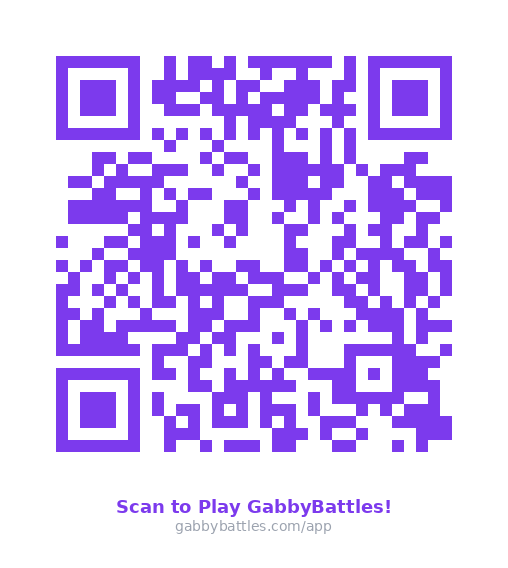
The app is live today — no App Store needed. Scan the QR code or click the button below.

QR Code — Scan to play GabbyBattles

📱 Scan to play instantly

🚀 Open GabbyBattles App 📲 Install Instructions